
Seen on:
RTL4 & SBS6
Seen on:
RTL4 & SBS6


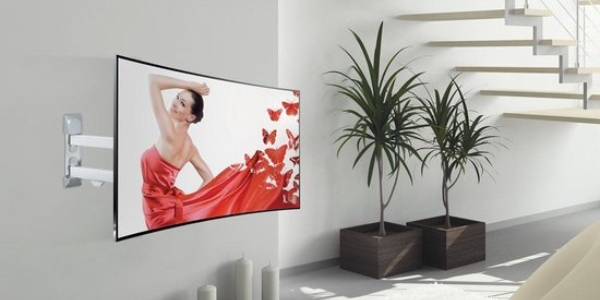
Wolff Mount Drywall TV Wall Mount – Removable TV Bracket for Drywall, Canopy, and Veranda The TV wall mount for drywall and canopies Hanging a tele...
View full detailsDo you want to mount your TV on the wall or preferably on the ceiling? At TVbeugels.nl you will find the largest range of TV mounts in the Netherlands. Whether you are looking for a fixed bracket, a swivel wall mount, or a height-adjustable ceiling mount: we always have the TV mounting system that suits your needs.
Below you will find a selection of our most popular TV mounts. Do you have specific requirements and can’t find the right bracket? No problem – feel free to browse through our extensive range. You are guaranteed to find the right solution to mount your television.
Mounting a TV on the wall or ceiling is easy to do yourself with this clear step-by-step guide. We explain step by step how to do this safely and securely.
First determine where you want to mount your TV. Consider viewing height, lighting, power outlets, and the placement of peripheral devices such as a decoder or game console. Make sure you can comfortably watch the screen from your seating area.
Check if the surface is suitable for mounting. A concrete or brick wall is ideal. Do you have a drywall or wooden ceiling? Then use appropriate plugs or wood screws. Pay attention to the maximum load capacity of the structure.
Choose a TV wall mount or TV ceiling mount that fits the size, weight, and VESA pattern of your television. Also consider whether you need flexibility. Do you want to be able to swivel or tilt your TV? Then choose an adjustable model. For a sleek result, choose a fixed bracket.
Place the bracket against the wall or ceiling and mark the drill holes with a pencil. Make sure the bracket is level for a neat installation. This prevents crooked images and stress on the mounting.
Use the correct type of drill bit for the material of your wall or ceiling. Drill the marked holes to the correct depth and insert the plugs. Then securely fasten the bracket with the supplied screws. For wood or drywall, use suitable fasteners (available at hardware stores).
Follow the instructions provided with the bracket. In many cases, you first attach the bracket arms to the TV and then hang these on the mounting system. In other cases, the TV is screwed directly to the frame. The necessary screws are included.
Connect all cables before you click the TV into its final position. Think of the power cable, HDMI cable, COAX cable, optical cable, and possibly USB. Use a cable duct to neatly organize the cables. This keeps your setup tidy and stylish.
The above steps provide a general guideline. Always consult the manual of your TV and bracket for product-specific instructions. If you are unsure about your DIY skills, have your TV mounted by a professional for maximum safety and security.
Do you have questions or need help choosing the right TV mount? Contact us at +31 88 112 0500 or email info@tvbeugels.nl. We are happy to assist you!