


Seen on:
RTL4 & SBS6
Seen on:
RTL4 & SBS6

Wolff Mount 3019: Sit-Stand Desk ConverterThis white desk converter lets you raise your monitor, keyboard, and mouse together. The spring-assisted ...
View full details

In brief Are you looking for a simple solution for placing your mobile phone on your desk or table? Then this smartphone holder is for you. This s...
View full details

In brief The TVB-124 is a high-quality, super-heavy-duty monitor arm specially designed for large and ultrawide screens. Thanks to its robust cons...
View full details

Product Description With this Nedis® ergonomic monitor mount, you can position your screen at the perfect height, reducing strain on your neck musc...
View full details
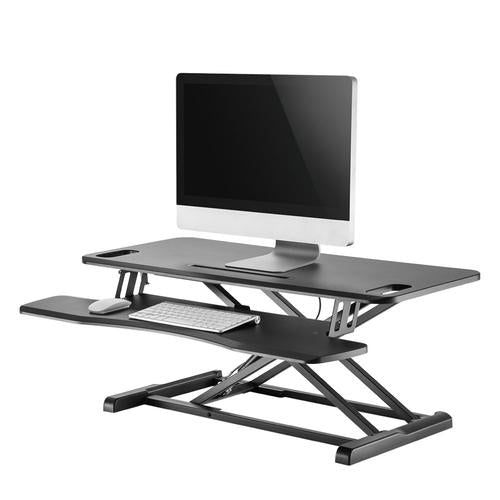
The Neoumonts NS-WS300BLACK features a spacious work surface (95x40 cm) that accommodates 2 monitors and a lower area for keyboard and mouse. The w...
View full details

Product description With this Nedis® ergonomic monitor mount, you can adjust your screens to the perfect height and reduce strain on your neck musc...
View full details

Nedis monitor stand with four USB 3.0 portsThis aluminum monitor stand combines a 6.5 cm lift with a built-in four-port USB 3.0 hub. This lets you ...
View full details

Product description This Nedis® ergonomic wrist rest is suitable for most keyboards. It provides the ideal solution for reducing pressure on your ...
View full detailsErgonomic accessories help you adjust the position of your screen and other equipment to suit your workspace. Choose a product based on the adjustment you need: extra screen height, more adjustment options, or the ability to alternate between sitting and standing.
More height is not automatically better. Adjust your chair and desk first, then determine the desired screen position. Check the available space, the screen weight, and how each accessory is attached. For adjustable products, leave enough room for movement and cables.
Read our guide to choosing an ergonomic workspace to learn how your screen, input devices, and working posture work together. An accessory can support comfort, but does not guarantee protection against physical discomfort.
Need help comparing options? Tell us which device you use and what you would like to change about your setup.
