
Product details and specifications
TV mount for Philips
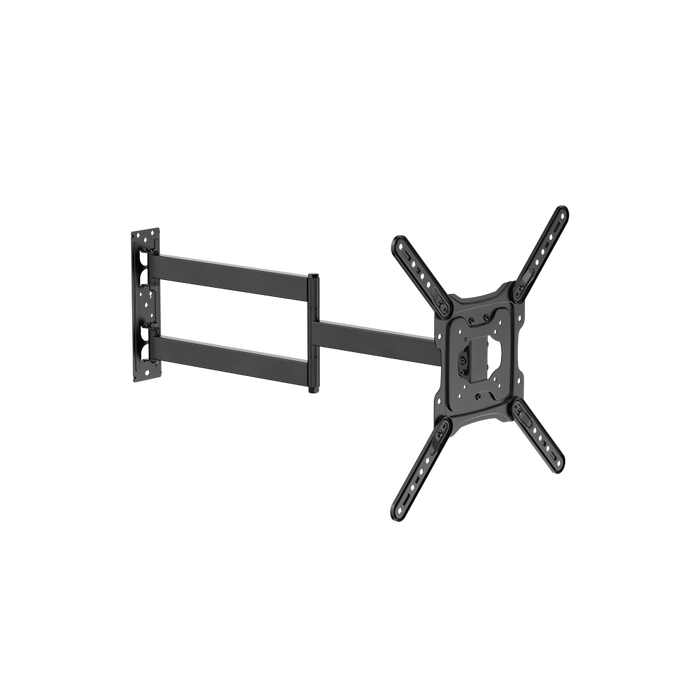
This Wolff Mount swivel TV wall mount can be pulled 73 cm forward thanks to its extra-long arm. The TV mount can also be tilted and swiveled. Would you like to watch TV from different spots in your room? Then the TVB-15 is the ideal TV mount for you.
Because the arm of the TVB-15 is so long, it is especially important to install and secure the TV mount correctly. When fully extended, the arm supports a lot of weight, putting extra strain on it. Even a small installation error can cause instability.
VESA 400×300 installation instructions
To correctly mount a screen with a 400 × 300 mm VESA size on this wall mount, it is important to position the mounting arms (bars/strips) correctly:
-
Top two arms (strips):
Install these angled (diagonally) upward.
This creates the correct spacing and position for the lower mounting points.
-
Bottom two arms (bars):
Install these horizontally.
They form the upper mounting points for the VESA pattern.
This combination of horizontal and diagonal positioning creates exactly the pattern required for a 400 × 300 mm VESA connection.
After installation, always check:
- That all bolts are firmly tightened
- That the screen is level
- That the arms are not under tension
Product specifications:
- Suitable screen size: 32 inches to 65 inches
- Maximum load capacity: 30 kg
- Distance from the wall: 5.4 cm to 72.8 cm
- VESA: 75x75, 100x100, 200x100, 200x200, 300x200, 400x200, 400x300 300x300, 400x400
- Features: Swivels and tilts
View more mounts by screen size?
This product is suitable for several screen sizes. Are you specifically looking for a TV mount for a particular screen size, such as 49 inches? Browse our overview of TV mounts by screen size. That way, you can quickly find a mount that fits your screen perfectly.
Popular choices:
Please note! This TV mount is suitable for televisions with a maximum VESA size of 400x400. A basic screw set is included, suitable for 90% of all TVs. Some TVs require specific screw thicknesses and lengths. These are listed in your TV's manual.